
Shared hosting is an easy way to deploy PHP code especially if you are new to technology. To run PHP on your own server you need to be able to build, configure and maintain a server. You may make a mistake with a firewall configuration, and your code will not run. Paying $5 a month for a shared hosting plan allows you to focus on learning PHP.
PHP Programming (OLD)
Loops in PHP Programming
*NEW
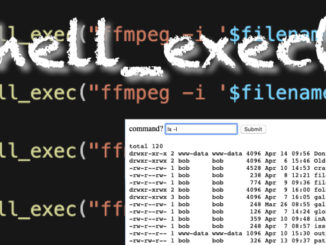
PHP – Send Shell Commands with shell_exec()
The shell_exec() function allows you to send commands to the Command Line using PHP. You can use this for everything from pinging websites, to calling installed apps such as FFMPEG. shell_exec() also returns the results […]
PHP Programming (NEW)
PHP – What is Needed to Learn…
To learn PHP you’ll need a LAMP server of some sort, a text editor, and a good study guide. I highly recommend buying a book because it’s an excellent UI while learning a language.
Leave a Reply
You must be logged in to post a comment.
I signed up for shared hosting through hostgator. I had to modify the .htaccess file so that it would recognize my SSL certificate; everything works so long as I type out https://mywebsite.com instead of mywebsite.com. How do I rewrite this file so that I automatically redirect all http requests to https instead? Thanks!
.htaccess file on hostgator:
# Use PHP71
AddHandler application/x-httpd-php71 .php
RewriteEngine On
RewriteCond %{HTTPS} !=on
RewriteRule ^(.*)$ https://mywebsite.com/$1 [R=301,L]